Starlink RV vs Residential 2026: Which Plan Should You Get?
Disclosure: GetRemoteInternet is reader-supported. This article contains affiliate links, and we may earn a commission if you purchase through them — at no extra cost to you. Learn more.
Starlink offers two main residential plans — the standard Residential plan and the Mobile (RV) plan — and choosing the wrong one can cost you money or limit how you use your service. Here’s exactly how they differ and which one makes sense for your situation.
Starlink RV vs Residential: Side-by-Side
| Starlink Residential | Starlink Mobile (RV) | |
|---|---|---|
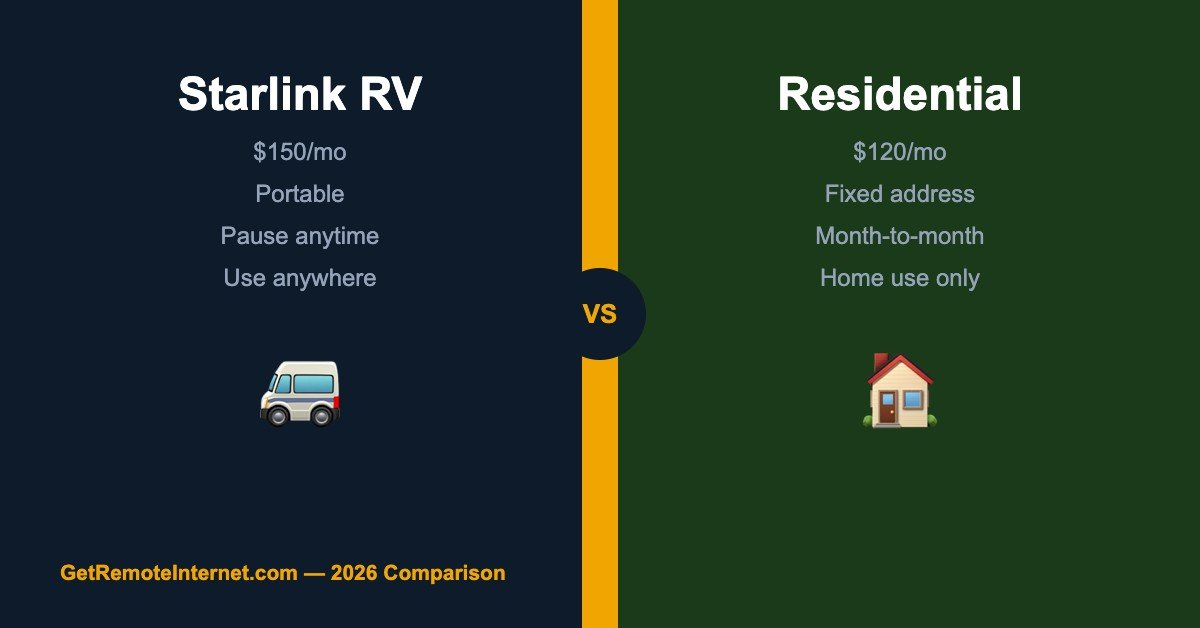
| Monthly Price | $120/mo | $150/mo |
| Hardware Cost | $599 | $599 (same dish) |
| Portability | Fixed address only | Use anywhere in coverage area |
| Data | Unlimited | 50 GB priority, then deprioritized |
| Pause Service | Yes, $0/mo paused | Yes, $0/mo paused |
| Priority on Network | Higher | Lower (deprioritized after 50 GB) |
| Best For | Full-time home use | Travel, RVs, seasonal homes |
Starlink Residential Plan
The Residential plan is designed for a fixed home address. At $120/month it’s $30 cheaper than the Mobile plan, and it gives you higher network priority — meaning when the satellite network gets congested, residential users get better speeds than Mobile users. Data is truly unlimited with no soft caps or deprioritization.
The main limitation: your service is tied to the address on your account. You can technically move your dish and it will usually work — Starlink has relaxed portability restrictions significantly — but your home address remains your primary service location and speeds may vary if you use it elsewhere.
Best for: Full-time rural homeowners who use Starlink as their primary home internet. Best value, best performance, lowest cost.
Starlink Mobile Plan (formerly RV)
The Mobile plan is built for people who move. At $150/month, it’s $30 more than Residential — but it’s designed to work anywhere within Starlink’s coverage area, not just at one address. No need to notify Starlink when you move. The dish automatically connects wherever you set it up.
The trade-off is data priority. Mobile users get 50 GB of priority data per month — after that, your speeds are deprioritized when the network is busy. In uncongested rural areas this rarely matters, but in popular camping spots or during peak hours it can slow things down meaningfully.
Best for: RV travelers, snowbirds, seasonal cabin owners, or anyone who needs Starlink at multiple locations throughout the year.
Can You Switch Between Plans?
Yes — you can switch between Residential and Mobile plans in the Starlink app anytime. This is particularly useful for seasonal use: run Residential at home during the winter, switch to Mobile for summer travel, then switch back. You use the same dish for both — no hardware change required.
The Portability Add-On (Best of Both Worlds)
Starlink also offers a Portability add-on for Residential plan users at $25/month. This lets you temporarily use your Residential dish at other locations — great for occasional road trips or vacation use without switching to the full Mobile plan. You keep Residential pricing and priority at home, and pay $25 only the months you travel.
Which Should You Choose?
- You live in one place full-time → Residential ($120/mo) — better value, higher priority, no reason to pay more
- You travel frequently or live in an RV → Mobile ($150/mo) — full flexibility, works anywhere
- You’re home most of the time but travel occasionally → Residential + Portability add-on ($145/mo when traveling) — best of both
- You have a seasonal cabin → Residential, pause when not in use ($0 while paused) — cheapest long-term option
Frequently Asked Questions
Can I use Starlink Residential in my RV?
Yes, with the Portability add-on ($25/month). Without it, you’re technically limited to your registered address, though many users report it working at other locations. For full-time RV living, the Mobile plan is the right choice.
Is Starlink Mobile slower than Residential?
In uncongested areas, speeds are similar. The difference shows after your 50 GB priority data is used — Mobile users are deprioritized during busy periods, while Residential users maintain higher priority. For rural use where towers aren’t crowded, the real-world difference is usually minimal.
Can I pause Starlink to save money?
Yes — both plans can be paused for $0/month. Service stops but you pay nothing. This is ideal for seasonal homes, extended travel, or any time you won’t be using it. Resume whenever you want with no fees.
📡 Get Rural Internet Tips — Free
Provider updates, signal booster deals, and honest reviews delivered to your inbox.