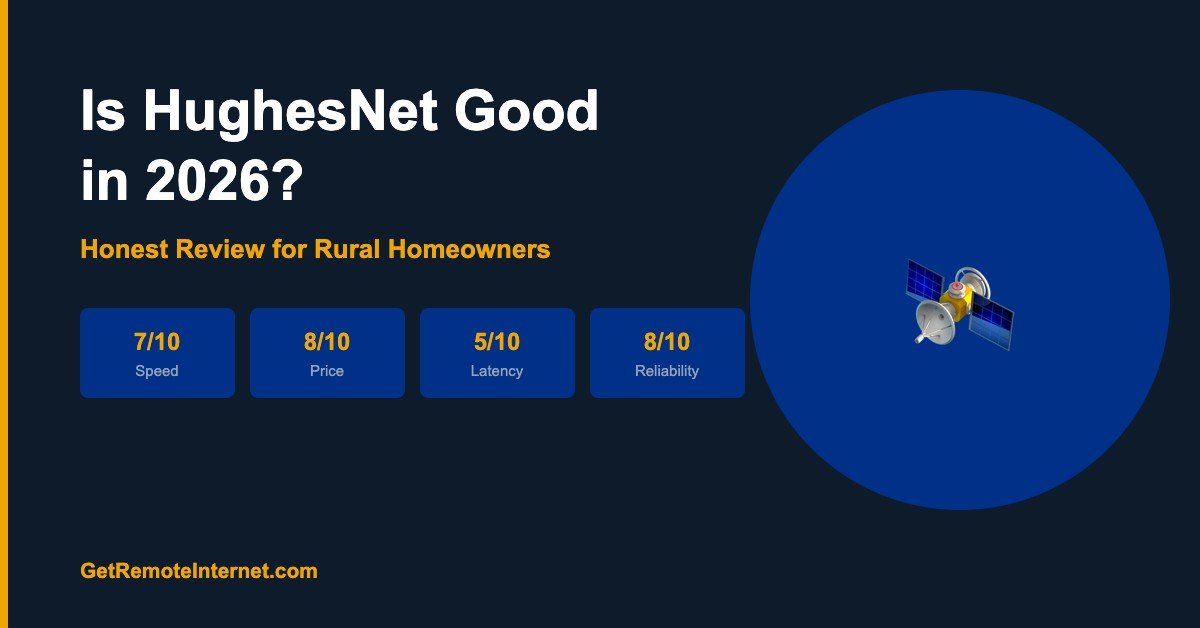
Is HughesNet Good in 2026? An Honest Review for Rural Homeowners
Disclosure: GetRemoteInternet is reader-supported. This article contains affiliate links, and we may earn a commission if you purchase through them — at no extra cost to you. Learn more.
HughesNet has been connecting rural homes for decades — but is it still worth it in 2026? With Starlink taking the spotlight and T-Mobile Home Internet undercutting on price, HughesNet needs to work harder than ever to justify itself. Here’s an honest look at where it delivers and where it falls short.
HughesNet at a Glance (2026)
| Feature | Details |
|---|---|
| Starting Price | $50/month |
| Download Speed | 25–100 Mbps |
| Upload Speed | 3–5 Mbps |
| Latency | 500–700ms (standard) / ~100ms (Fusion plans) |
| Data | 15–200 GB priority data, then slows at peak hours |
| Contract | 2 years (ETF up to $400) |
| Hardware | Leased — no upfront purchase |
| Installation | Professional, included |
| Availability | Nationwide |
What HughesNet Does Well
✅ Nationwide Coverage
HughesNet’s geostationary satellites cover virtually all of the continental US. No waitlists, no gaps, no address checks that come back empty. If you can see the southern sky, you can get HughesNet service — often within days of ordering.
✅ No Equipment Purchase
Unlike Starlink’s $599 hardware requirement, HughesNet leases you the dish and handles professional installation at no upfront cost. For budget-constrained households, this is a significant advantage.
✅ Fusion Plans Dramatically Improve Latency
HughesNet’s newer Fusion technology blends satellite and cellular signals to reduce latency to around 100ms in many areas — a massive improvement over the 500–700ms of traditional geostationary satellite. Video calls are noticeably better on Fusion plans than older HughesNet service.
✅ Predictable, Affordable Pricing
At $50/month to start, HughesNet is one of the most affordable rural internet options that works anywhere. Pricing is straightforward with no surprise fees beyond the plan rate.
Where HughesNet Falls Short
❌ Still High Latency on Standard Plans
Non-Fusion HughesNet plans still carry 500–700ms latency. Video calls have a noticeable delay, online gaming is impractical, and real-time applications feel sluggish. If low latency matters for your work or lifestyle, Starlink or T-Mobile are significantly better.
❌ Data Thresholds
Every HughesNet plan has a priority data threshold. Once you hit it — 15GB on the entry plan, up to 200GB on the top tier — your speeds slow during peak hours (8am–11pm). Unlimited data without slowdowns requires Starlink or T-Mobile.
❌ 2-Year Contract with ETF
HughesNet locks you in for 2 years with early termination fees up to $400. If Starlink becomes available at your address next month, you’re stuck paying ETF to leave. Starlink and T-Mobile are both month-to-month with no penalty to cancel.
❌ Low Upload Speeds
Upload speeds of 3–5 Mbps are limiting for anyone who video calls frequently, works with cloud storage, or uploads large files. By comparison, Starlink delivers 10–20 Mbps upload and T-Mobile delivers 15–31 Mbps upload.
Who Should Get HughesNet in 2026?
HughesNet makes the most sense for:
- Households where Starlink isn’t available and T-Mobile has no coverage
- Users who mainly browse, email, and watch standard-definition streaming
- Anyone who can’t afford Starlink’s $599 hardware upfront
- Seniors or light users who just need basic connectivity at an affordable price
If Starlink or T-Mobile Home Internet is available at your address, either will give you a significantly better experience for a comparable or lower price.
HughesNet vs Alternatives (Quick Verdict)
| vs. | Winner | Why |
|---|---|---|
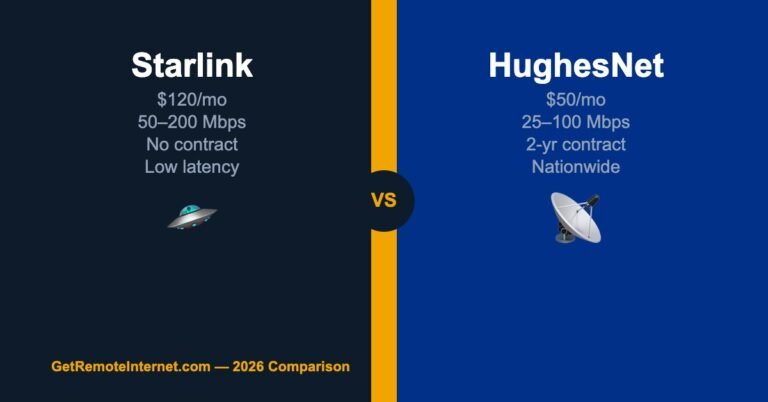
| HughesNet vs Starlink | Starlink | Faster, lower latency, no contract, no data caps |
| HughesNet vs T-Mobile | T-Mobile | Cheaper, faster, lower latency — where available |
| HughesNet vs Viasat | Tie | Similar pricing; Viasat faster on higher plans, HughesNet Fusion reduces latency |
| HughesNet vs Nothing | HughesNet | Always — any internet beats no internet |
Frequently Asked Questions
Is HughesNet good for streaming Netflix?
Yes for standard and HD streaming — HughesNet’s 25–100 Mbps is enough to stream Netflix HD without buffering. 4K streaming is possible on higher-tier plans but may slow once priority data is exhausted. Multiple simultaneous 4K streams will strain the data allowance quickly.
Is HughesNet good for working from home?
For email and documents, yes. For frequent video calls, it’s usable but not great — especially on non-Fusion plans where 500ms+ latency creates noticeable delays. If you have all-day video meetings, Starlink or T-Mobile Home Internet will serve you better.
What happens when HughesNet data runs out?
HughesNet doesn’t cut off your service when you hit your priority data limit. Instead, speeds slow during peak congestion hours (8am–11pm). Between 2am–8am, speeds typically return to full rate. You can also purchase additional data tokens if needed.
📡 Get Rural Internet Tips — Free
Provider updates, signal booster deals, and honest reviews delivered to your inbox.